Tuesday, March 5, 2013

g++ compiler options

Four stages of creating a program
  1. Preprocess
  2. Compile
  3. Assemble
  4. Link
Example: Creating and using a shared library (lib*.so - filename starts with prefix "lib" and ends with suffix ".so"):
First, we'll create the object file from the source.
g++ -c <filename.cpp> -o <filename.o>
-c specifies that we're only compiling, not linking. We do this when filename.cpp doesn't have a main function so there's nothing to link.
-o specifies the output file name. Note that it doesn't have to end in .o, but the .o ending is convention for object file
Next, we'll create the shared object file library from the object file
g++ -shared -fPIC <filename.o> -o <libfilename.so>
-shared indicates that we're creating a shared library
-fPIC indicates that we're creating position independent code.
Excellent, we've now created a shared library!

Now for the fun part, linking, the biggest headache of them all. Let's say we wan't to use the library in <appname.cpp>.
g++ <appname.cpp> -L. -l<filename> -Wl,-rpath,. -o <appname>
-L. tells the g++ to look in the current directory (hence the ".") at link-time for the library.
-l<filename> tells which library we'll be using (Although the library will look something like lib<filename>.so, the convntion is -l<filename>).
-Wl,<ld option> passes <option> to the linker. <option> can be comma separated for multiple options as we do. By passing "-rpath,." to the linker, we tell it to use the current directory "." at run-time linking. Note the separation of link-time and run-time paths when looking for libraries.

Putting it all together looks something like

g++ -c <filename.cpp> -o <filename.o>
g++ -shared -fPIC <filename.o> -o <libfilename.so>
g++ <appname.cpp> -L. -l<filename> -Wl,-rpath,. -o <appname>


Sunday, February 3, 2013

Adding printer, Ubuntu 12.04

Adding a printer is one of the most annoying tasks I've dealt with.  It doesn't help that there are dozens of printing protocols and ways to connect to a printer. Here is a step-by-step to remind myself of this process.
  1. From terminal, run sudo system-config-printer
  2. In the dialog box that opens, press Add
  3. Enter the device URI
    • e.g. socket://172.25.102.32
  4. It'll ask for a driver, you can see if it's available from the drop down menus but this is unlikely from my experience. Usually, you'll just have to find and provide the .ppd file yourself.
  5. Accept the installable options and device name etc...
  6. print a test page! Hopefully it works. If not, get angry and continue your quest across the internets.
Happy printing! 
(I'm going to hate myself for the cheery ending when this doesn't work)

Sunday, January 13, 2013

Amazing Fact in Probability! Record Setting and Symmetry of Independence

Consider this scenario:
You've been playing your favorite game for a while (I've been recently enjoying Temple Run!), so your skills have practically leveled off and you're basically just playing the game for fun and to see what's the highest score you can achieve!

Lo and behold, after many hours of playing late into the night you achieve a high score on a particular run! Flushed with success but tired as well, you wonder whether it is worth it try another run or not. Intuitively, one would think that achieving a high score on the next run is going to be even more difficult so the probability of the next one run being a record setting run is lower now that you've just set a record on the current run.

Is this intuition correct? Is the probability of the next run being record setting affected by the fact that the current run is record setting?
Stop and think for a bit...
...
Maybe a bit more...
...
Okay now let's take a closer look.
Another way to look at the question is to turn it around: Is the probability of the current run being record setting affected if it is fated that the next run will be record setting? Now, our intuition would say no, the current run does not care what the next run does; it is independent of the next run.  Here is the amazing fact: since the setting a record on the current run is independent of setting a record on the next run, so too setting a record on the next run is independent setting a record on current run! Independence is symmetric! It doesn't matter whether you just set a record or not!

But be careful, I'm not saying that the chance of setting a record on the next run is the same as setting a record on the current run.  Think of it this way, to be a record, a run must beat out all previous runs. For the current run to be a record, it must beat out all previous runs, but for the next run to be a record, it must beat out all previous runs and the current run. Therefore, setting a record on the next run will indeed have lower probability than setting a record on the current run, but only because it has to beat out more runs, not because it's affected by the outcome of the current run.

My worldview has just been recalibrated.

Saturday, January 5, 2013

Notes from CS 222 - Differential Equations in Action

In units 1 and 2, we worked towards simulating Apollo 13's flight from the earth, around the moon, and back to earth. 

$h$ - step size
$x$ - position
$v$ - velocity
$F$ - net force 
$m$ - mass

Euler's method:

Euler's method is the most basic and easy to understand method for simulating a differential equation.  At each step in time, we simply increment the state variables linearly along the line tangent to their current values.
$x[i + 1] = x[i] + h \cdot v[i]$
$v[i + 1] = v[i] + h \cdot \frac{F(x[i],v[i])}{m}$

In the limiting case where $h\to0$, Euler's method will capture the dynamics exactly, but this makes the method very computationally intensive.  Values of $h>0$ will all lead to a certain amount of error at each step, known as the Local Truncation Error.

Heun's method

Heun's method is an improvement on Euler's method.  Rather than increment along the line tangent to the state variables, we use the average of the lines tangent to the state variable at the current point and the tangent to the state variable at the next point had we used Euler's method.
$x_E = x[i] + h \cdot v[i]$
$v_E = v[i] + h \cdot \frac{F(x[i],v[i])}{m}$
$x[i + 1] = x[i] + h \cdot \frac{v[i] + v_E}{2}$
$v[i + 1] = v[i] + h \cdot \frac{F(x[i], v[i]) + F(x_E, v_E)}{2m}$
where $x_E$ and $v_E$ are simply the Euler estimates of the next $x$ and $v$

Adaptive step size

[Needs work]
$h_{new} = h_{old}\sqrt{\frac{tolerance}{LTE}}$
Note that you'll need to track the current time with this method since our time steps will not be evenly spaced.

Simplectic method

[Needs work]
A plot of the state variables is called a phase space plot.  The area of the phase space plot is the energy? of the system. The simplectic method preserves the energy of the system.  In the simplectic method, we alternate between incrementing state variables.
$x[i + 1] = x[i] + h \cdot v[i]$
$v[i + 1] = v[i] + h \cdot \frac{F(x[i+1], v[i])}{m}$
There are a few alternatives to this:
  •  $x$ then $v$ then $v$ then $x$ ... etc. This is known as leapfrogging

Friday, January 4, 2013

Visiting Penelope at 6 months

Penelope "Pom Pom" is my niece!
Successful diaper change. Penelope is really happy when you lift her up like this.


Here are some vignettes from my visit:

Pom Pom had a cold during my visit.  It's really a terrible thing to have a cold as an infant.  You don't even know to how wipe your nose! In fact, rather than wipe your nose after sneezing out a bunch of mucus, you'd rather open your mouth for a taste.  Truly a curious being.
This leaves it to the nearest adult to wipe your nose for you.  However, Pom Pom is a free willed spirit.  She could be smiling happily with snot all over her face one second, but the moment you touch her face with a kleenax to wipe it off, insanity follows.  Head turns away, back arches, arms reach out, legs kick away, and Pom Pom screams.  Every muscle she can control is activated to escape that terrible terrible kleenax.  Pom Pom has her own designs for cleaning her face. If you hold her on your shoulder, her trick is to happy to bury her runny face in the crook of your shoulder and then wipe all that wonderful juice in the perfect arc across your shirt.
The solution: put a kleenax on your shoulder.

PP is learning to crawl. Not deliberately, of course. I doubt babies so purposely and single-mindedly pursue activities like an adult will try to say learn to swim.  PP is motivated by the toy or computer immediately in front of her, and she'll try anything she can to move towards the object of her motivation.  When PP tries to move forward, she pushes out with her hands and legs. Only her hands gain traction though and she ends up pushing herself backwards.

Babies have no memories.  How can the PP be entertained by a toy for 20 min, get bored, then be returned an hour later and be entertained by the same toy for another 20 min!

Wednesday, December 5, 2012

Flow for Logic Analyzer Experiment

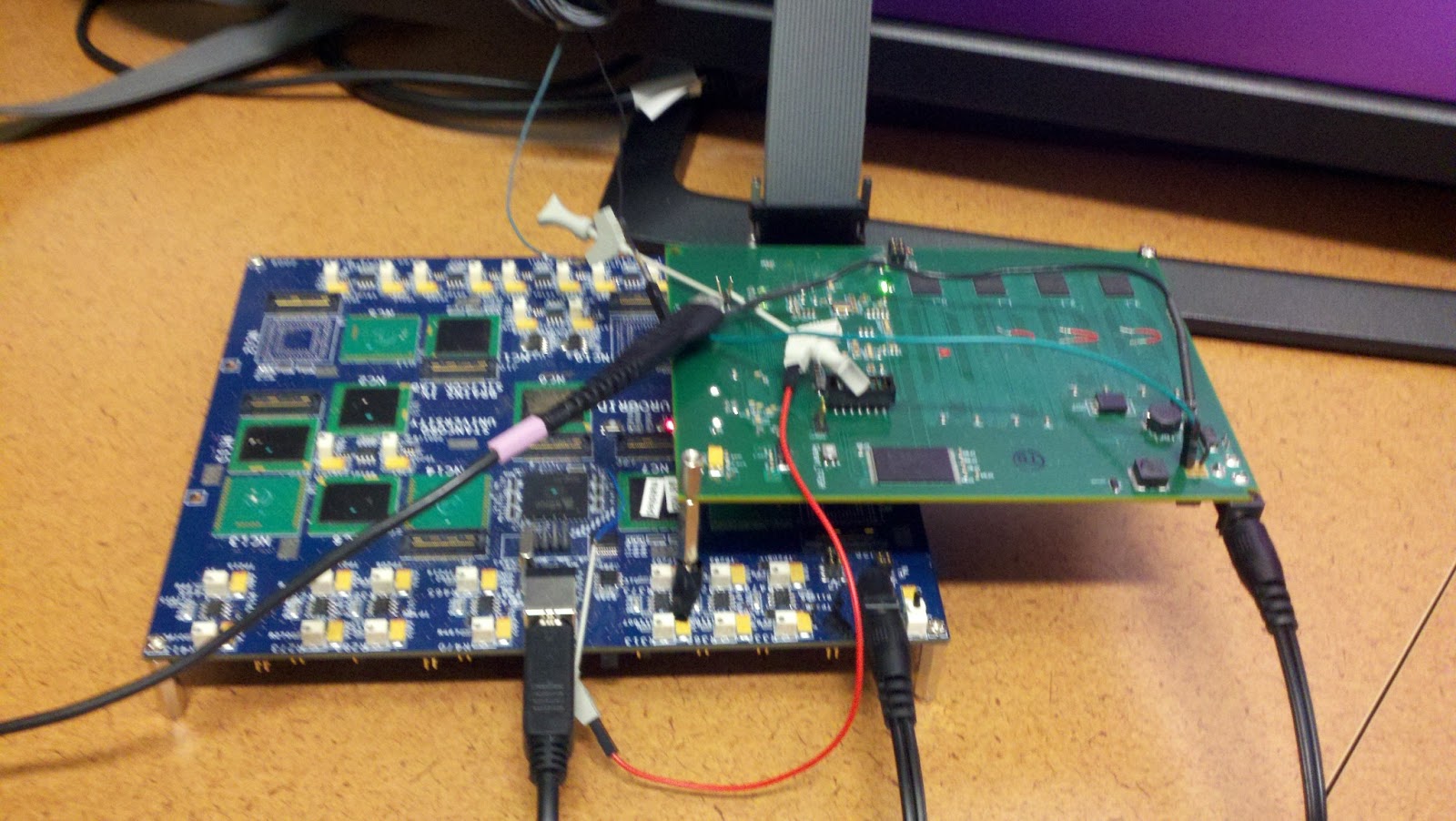
To root out the causes of time dilation, I've set up a flow for collecting spike time stamps from Neurogrid for comparing them with the programmed spike times.  I can then compare the measured ISIs (to the tens of picosecond resolution) to the programmed ISIs.  Time dilation manifests as an additional delay in the ISI, and likewise time contraction manifests as a shortening of the ISI.

Flow:

Set up Neurogrid
  1. Connect FPGA to leaf of 9
  2. Spoof FPGA as chip 15
    1. change xml config file so 15 is at leaf of 9
    2. comment out chip 17 in xml config file route (17 is normal FPGA)
    3.  In bias-ZIF-6k.xml, change chip_15 route_to to match xml config file 
  3. Connect as shown
    1. Connect FPGA reset pin to Neurogrid reset
    2. Connect FPGA acknowledge pin to oscilloscope and logic analyzer


Set up Logic Analyzer
  1. load Stimulus\System1.tla configuration file
  2. go to setup > probes tab
  3. look for signals on channel 7
    1. Probes C3 and C2 should be all triggering except first channel on C3
  4. Start spring gui, and if software doesnt see sufficient signal, gui will time out.
    1. The board light will trip.  This is normal for this experiment
Set up Software
In neuro-boa/apps/loopback_test/
  1. Edit loopback_parameters.py
  2. python loopback_parameters.py
  3. python generate_spikes.py
Run experiment
  1. In spring, run NEF/loopback_test/loopback_test.py
  2. Right before experiment starts (when terminal shows "Update called to replace child:" , run logic analyzer
  3. When logic analyzer stops, File > export data
Analyze data
  1. Transfer logic analyzer data to desktop
  2. Use loopback_test/ReadLAdataAllGroupsMultipleFilesStimulus.nb Mathematica script to parse logic analyzer data
    1. change input file names
    2. change output file names
  3. Use loopback_test/cleanLogicData.sh to clean the spike data
    1. change input file names
  4. python loopback_test/analyze_loopback.py to analyze the spike data

Logic Analyzer Spike Time Cleanup Script

Here's a little bash script I use for cleaning up data files of spike times returned by the logic analyzer experiment
#!/bin/bash
# Cleans up logic analyzer data files prepended with "spike_times_"

FILES=spike_times_*

clean_file()
{
 echo processing $f
  sed -i 's/{//g' $1  # remove '{' at beginning of file
  sed -i 's/}//g' $1  # remove '}' at end of file
  sed -i 's/\ //g' $1  # remove ' ' spaces
  sed -i 's/,/\n/g' $1 # replace ',' with newlines
  sed -i '/^$/d' $1  # remove empty lines
}


for f in $FILES
do
 clean_file $f
done